cant use my new network folders. runs super slow. logs indicate timeout but don’t know where to begin
Hello Carlos,
Thank you for contacting us.
We understand how frustrating this must be, especially when you have just started using NetDrive3 and are already experiencing issues such as not being able to use your new network folders, very slow performance, and timeout messages in the logs.
Based on the information so far, it is difficult to determine immediately whether the cause is related to the network environment, server response delay, security software, or NetDrive settings. The best next step would be to review the logs first.
Could you please send us the following information?
- Your operating system version (for example, Windows 10/11 or macOS version)
- Your NetDrive version
- The type of server you are connecting to (for example, FTP, SFTP, WebDAV, NAS, or cloud storage)
- The log files captured when the issue occurs
- If possible, a screenshot of the error or timeout message
Once we receive the logs, we will review them and guide you on the next steps.
Please follow these steps:
- Please set the log level to VERBOSE
- Reproduce the problem.
- Afterward, please follow the instructions in the following link to send us the debug log file:
Please be aware that the log file does not contain any login credentials.
Thank you.
Thank you for reaching out. here are the following answers to your questions.
its windows 11 pro
the latest netdrive on your download screen
s3 connection to my iDrive
both services are running
I get an access denied to the name of the drive i gave it, but is says connected
anything else, please let me know.
ndagent.log (36.1 KB)
nd3svc_Galban_NAS (1).log (240.3 KB)
nd3svc_Music (1).log (238.7 KB)
Hello Carlos,
Thank you for sending the log files.
We reviewed the logs, and NetDrive3 itself does not appear to be stopped or failing at the service/driver level. The NetDrive Agent and Service are running, and your NetDrive account and drive information are being loaded successfully.
However, the issue appears to occur when NetDrive tries to access your IDrive S3 buckets. We can see repeated timeout errors in the logs:
S3::GetFileList_BucketList >> Timeout was reached
S3::GetBucketRegion >> Timeout was reached
S3::Connect Location not found: bucket Galban-NAS
S3::Connect Location not found: bucket Galban-Napster
S3::GetFileList_ObjectList >> Timeout was reached
This means the drive may appear as “Connected” in NetDrive, but NetDrive is not actually able to retrieve the file list from the IDrive S3 buckets. As a result, Windows Explorer may show “Access denied” or behave very slowly when trying to open the mounted drive.
Please check the following:
- Please confirm that you are using IDrive e2 S3-compatible storage, not a regular IDrive backup/personal account.
- Please check the exact S3 endpoint/region endpoint for your Access Key in the IDrive e2 console. The same endpoint must be entered in NetDrive’s S3 settings.
- NetDrive is currently trying to access the following bucket names:
Galban-NAS
Galban-Napster
Please confirm that these bucket names exist in your IDrive e2 console and that the names match exactly, including uppercase/lowercase letters. If possible, please also try creating a new bucket using only lowercase letters for better S3 compatibility, for example:
galban-nas
galban-napster
- If IP allowlisting or firewall rules are enabled in IDrive e2, please make sure your current public IP address is allowed.
- If possible, please test from the same PC using another S3 tool or AWS CLI:
aws s3api list-buckets --endpoint-url https://<your-idrive-e2-endpoint>

aws s3api list-objects-v2 --bucket <bucket-name> --endpoint-url https://<your-idrive-e2-endpoint> --max-items 10
If these commands also timeout, the issue is likely related to the IDrive e2 endpoint, bucket configuration, network, or firewall rather than NetDrive itself.
After checking the above, please let us know the endpoint shown in your IDrive e2 console and the exact bucket names you are trying to mount. Please do not send your Access Key or Secret Key.
Thank you.
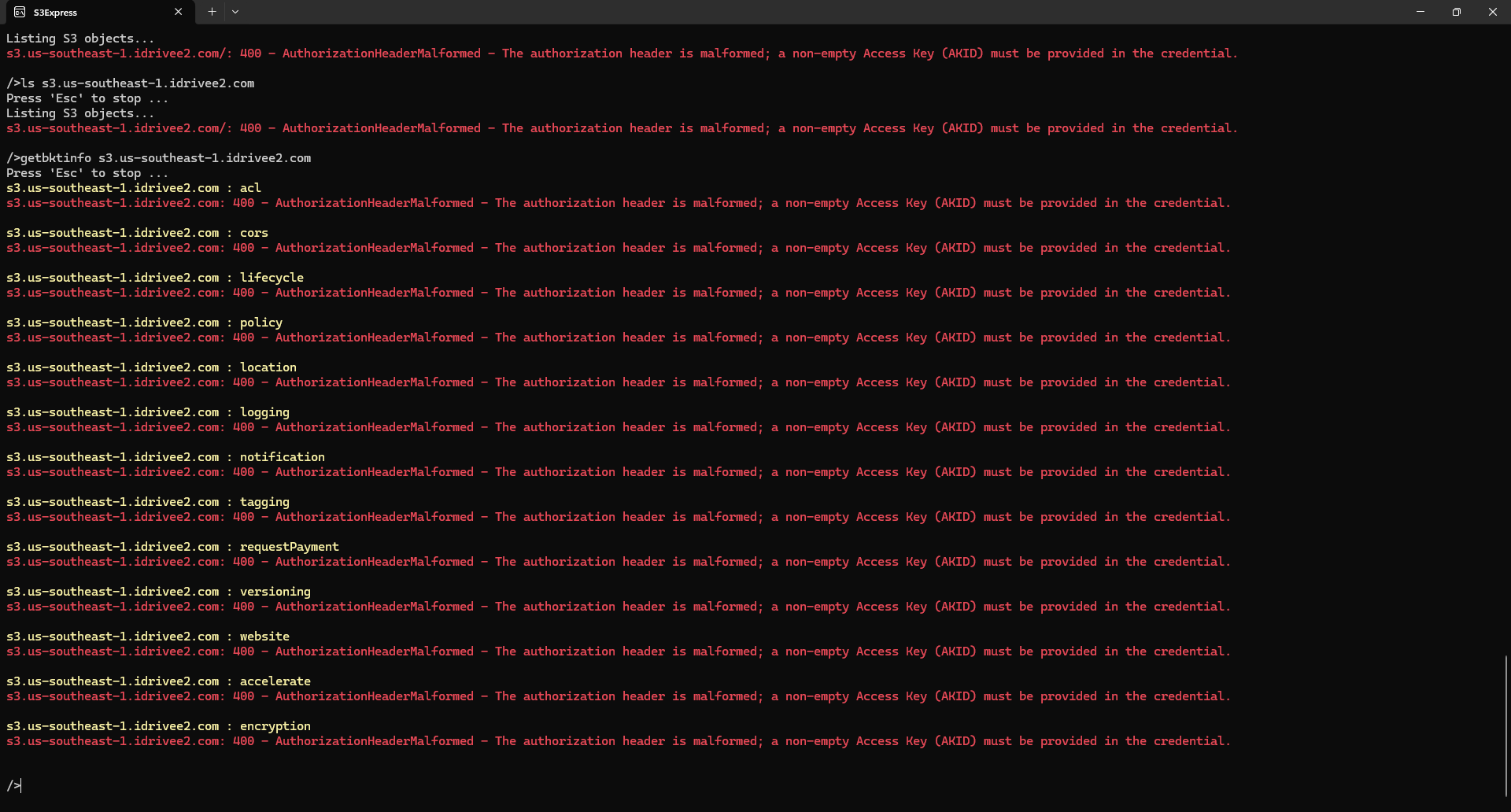
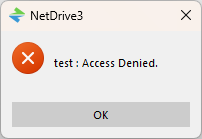
i deleted every bucket and name one test lower case and connected and got the error just like the others and it doesn’t work. this is getting frustrating.
Hello Carlos,
Thank you for the additional information.
We understand your frustration, especially since you have just started using NetDrive and are already running into Access Denied and timeout issues.
We checked the S3Express screenshot you sent, and the important error is:
AuthorizationHeaderMalformed
a non-empty Access Key (AKID) must be provided in the credential
This means the S3 request does not include a valid Access Key ID, or the Access Key / Secret Key has not been configured correctly in S3Express.
So at this point, the S3Express test does not appear to be a valid S3 connection test yet. S3Express must also be configured with your IDrive e2 Access Key ID and Secret Access Key before it can connect properly.
Also, you do not need an AWS account for this test. AWS CLI or other S3 tools can be used with S3-compatible storage such as IDrive e2. The important part is using the Access Key and Secret Key generated from your IDrive e2 console.
Since NetDrive shows the same Access Denied result even with the lowercase bucket name test, the issue may be related to the S3 credential or permission settings rather than the bucket name.
Please check the following NetDrive S3 settings:
Endpoint: s3.us-southeast-1.idrivee2.com
Bucket name: test
Access Key ID: Access Key generated from IDrive e2
Secret Access Key: Secret Key generated from IDrive e2
Please do not send us your Access Key or Secret Key.
Instead, please let us know the following:
- The endpoint value entered in NetDrive
- Whether the bucket name is exactly
test - Whether the same issue occurs after generating a new Access Key / Secret Key from the IDrive e2 console
- Whether the Access Key has permission to access the
testbucket in IDrive e2
If possible, please generate a new Access Key / Secret Key in IDrive e2, delete the existing S3 drive item in NetDrive, create it again, and test with the new test bucket.
Thank you.
Ok. I took a moment and re-traced my steps. The basic problem in that I did not indicate in my endpoint address the https://
so when i made the connection https://s3.us-southeast-1.idrivee2.com
it went right through and now appears to be working normally
let me know if you want me to send any information.
Hello Carlos,
Thank you for the update.
We are glad to hear that the issue is now resolved.
As you found, the IDrive e2 S3 endpoint needs to be entered as a full URL including https://.
For example:
https://s3.us-southeast-1.idrivee2.com
If everything is working normally now, you do not need to send any additional logs or information at this time.
If you run into slow performance, timeout errors, or Access Denied messages again, please let us know and we will review the logs further.
We will also review whether we can improve the S3 endpoint input guidance or error message in NetDrive to make this clearer.
Thank you.
This topic was automatically closed 7 days after the last reply. New replies are no longer allowed.