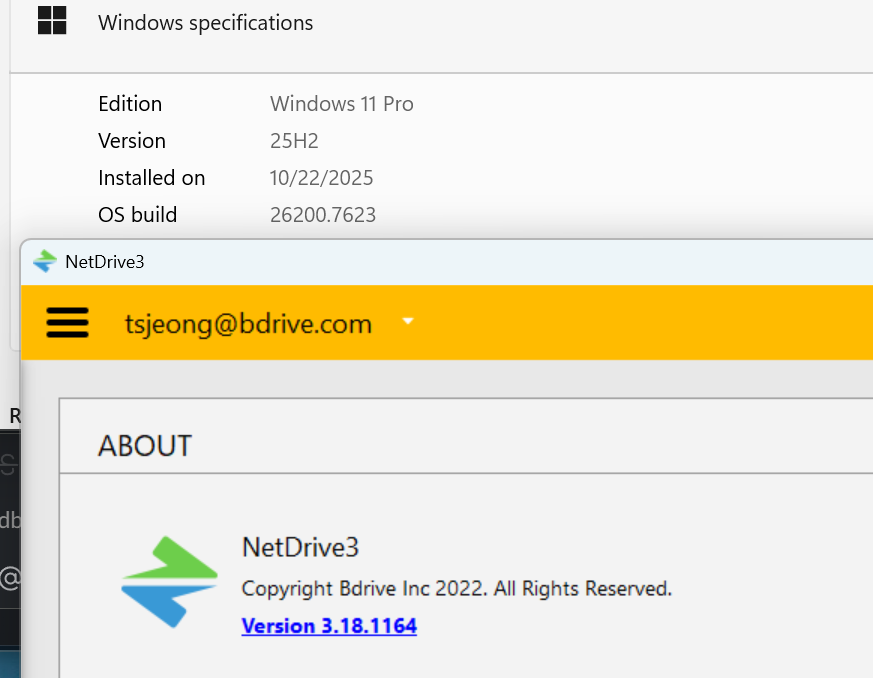
I am testing NetDrive 3.18.1164 on Windows 11 25H2.
The installer starts, then closes and returns to Windows Explorer with no error message and no installation completed.
I have already:
Rebooted the system
Run installer as administrator
Run installer from command prompt
Disabled antivirus
Older NetDrive versions install, but they fail later with Mount Error on Windows 11 25H2 due to CBFS incompatibility. That is why 3.18.1164 is required.
This looks like a silent installer failure on Windows 11 25H2.
Please check and repair the installer or provide a workaround.
If there are leftover files or settings from a previous installation, they may interfere with the installer.
Please try a clean installation by following the steps below.
1. Uninstall NetDrive (Apps & Features)
Option 1: Windows Settings
Click Start → Settings
Go to Apps → Installed apps
Search for NetDrive
Select NetDrive 3 → click Uninstall
Reboot your PC after uninstall completes
Option 2: Control Panel
Press Windows + R, type control, and press Enter
Go to Programs → Programs and Features
Select NetDrive 3 → click Uninstall
Reboot your PC
2. Remove Remaining Folders Manually
After rebooting, if the following folders still exist, please delete them manually:
C:\Program Files (x86)\Bdrive\NetDrive3
C:\ProgramData\NetDrive3
C:\Users\<username>\AppData\Roaming\NetDrive3
3. Reinstall
Reboot your PC once again
Run the NetDrive 3.18.1164 installer as Administrator
Launch NetDrive and check if login and installation work correctly
If the installer still exits silently, please send us the relevant Windows Event Viewer logs, and we will investigate further.
 1. Uninstall NetDrive (Apps & Features)