I am unable to connect the network drives. I keep getting a message that it has failed to connect
Hello,
Thank you for contacting us.
Based on the information provided so far, we’ll need a bit more detail to identify the cause of the connection failure.
Please share the information below if possible.
 Additional information needed
- Your operating system (Windows / macOS and version)
- Your NetDrive version
- The storage type you are trying to connect to
(e.g. Google Drive, OneDrive, FTP, SFTP, WebDAV, etc.) - The exact error message shown when the connection fails
 Screenshot request
If possible, please send screenshots of:
- The error message shown when clicking CONNECT
- The drive configuration screen (showing server address / account settings)
 Log file request
Log files will help us analyze the issue more accurately.
Please collect the logs using the steps below.
- Launch NetDrive
- Stop any running jobs if applicable
- Open Settings
- Set Log Level to VERBOSE
- Try connecting again
- In Settings, click Open log folder
- Attach and send the log files
Once we receive this information,
we’ll investigate the issue and guide you through the next steps.
Best regards,
NetDrive Support Team
I have the same problem, getting bad gateway when trying to authenticate, server down ?
I have the same issue the bad gateway.
Oauth is down. Do you know when this will be fixed? My applications use the drive and we are down. I am using sharepoint but the issue also happens with one drive.
Issue-Sharepoint.pdf (126.7 KB)
Hello,
Thank you for your patience.
We have identified an issue with our SharePoint App Registration configuration, and this has now been fully corrected.
We sincerely apologize for the inconvenience this caused.
However, if an existing SharePoint connection was created before the fix, cached authentication data may still cause the same error.
Please try the following steps:
- Go to SharePoint drive item settings in NetDrive
- Click DISCONNECT
- Click CONNECT again to reconnect
- Complete the Microsoft sign-in and permission grant process
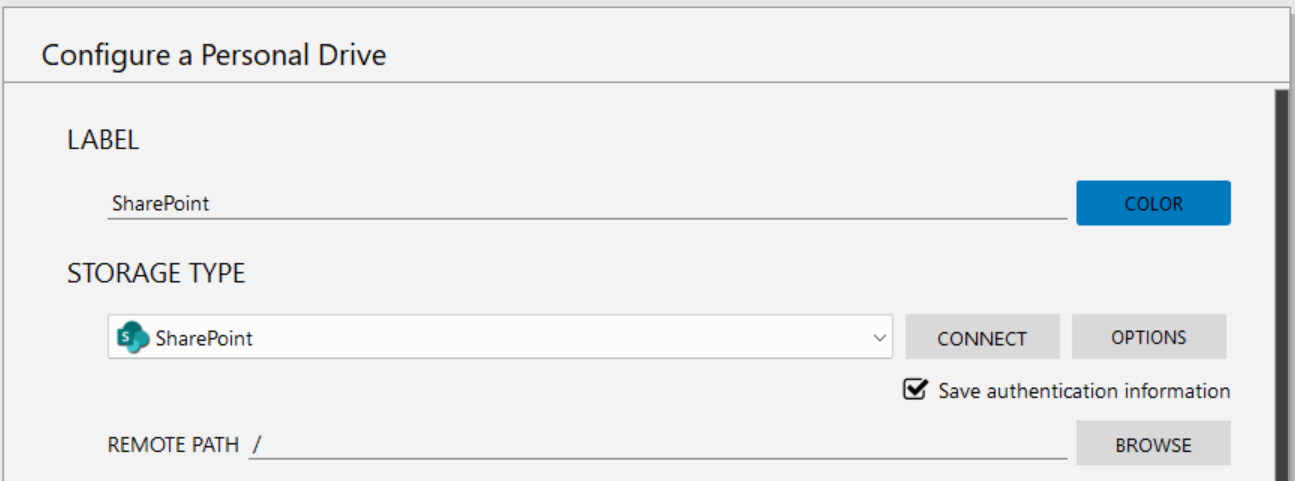
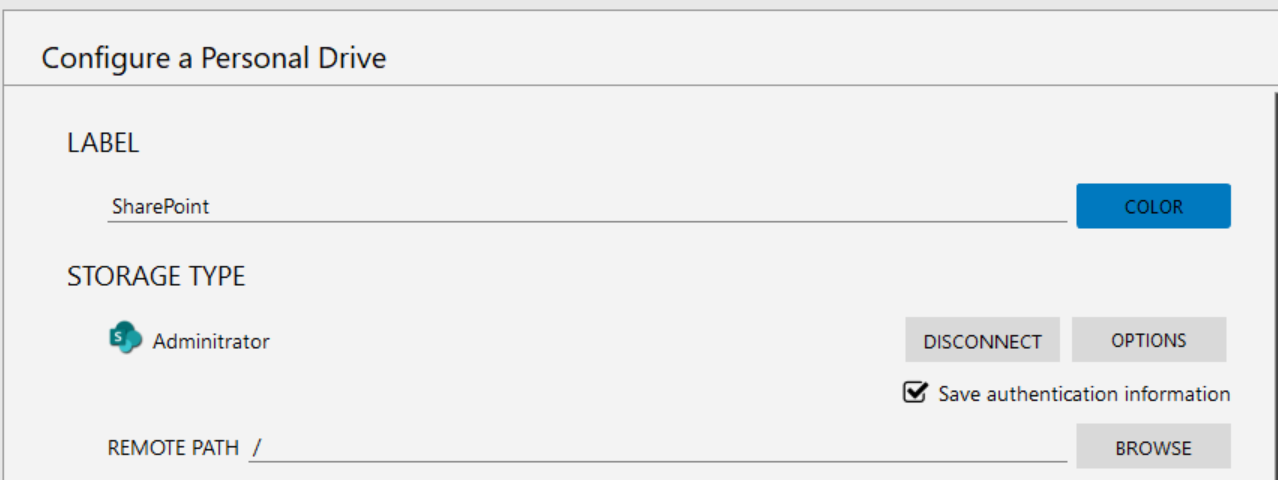
In most cases, this refreshes the authentication and resolves the issue.
If the problem persists after trying the above, please send us the updated logs and we will investigate further.
Thank you for your cooperation, and again, we apologize for the inconvenience.
Best regards,
NetDrive Support Team
Still down same problem
Same here it did not fix it same error
Still 502 Bad Gateway error
Dear Valued Customer,
We sincerely apologize for the continued inconvenience and for the time you’ve already spent testing this issue.
Based on the logs you provided and additional internal testing, we’ve confirmed that the 502 Bad Gateway error does not occur consistently, but appears intermittently under certain conditions.
Our development team is actively investigating:
- The SharePoint authentication flow
- Communication handling between NetDrive and Microsoft authentication services
- The specific timing and conditions under which the intermittent failures occur
At this stage, this does not appear to be related to your environment or configuration, but rather to our internal handling of the authentication process.
We are treating this as a high-priority issue and are working to resolve it as quickly as possible.
We will keep you updated as soon as we have progress or a fix available.
Thank you very much for your patience, and again, we apologize for the inconvenience.
Best regards,
NetDrive Support Team
Hello,
We would like to provide an update regarding the 502 Bad Gateway issue that was previously reported.
After applying server-side fixes, we conducted internal testing and confirmed that the issue is no longer reproducible and the service is operating normally .
We kindly ask you to retry the connection in the environment where the issue occurred previously and confirm whether it is now working correctly.
If the same error occurs again, or if you notice any other abnormal behavior,
please let us know with the relevant log files so we can investigate further right away.
We apologize again for the inconvenience and appreciate your cooperation.
We will continue to do our best to ensure stable service.
Best regards,
NetDrive Support Team
This topic was automatically closed 7 days after the last reply. New replies are no longer allowed.